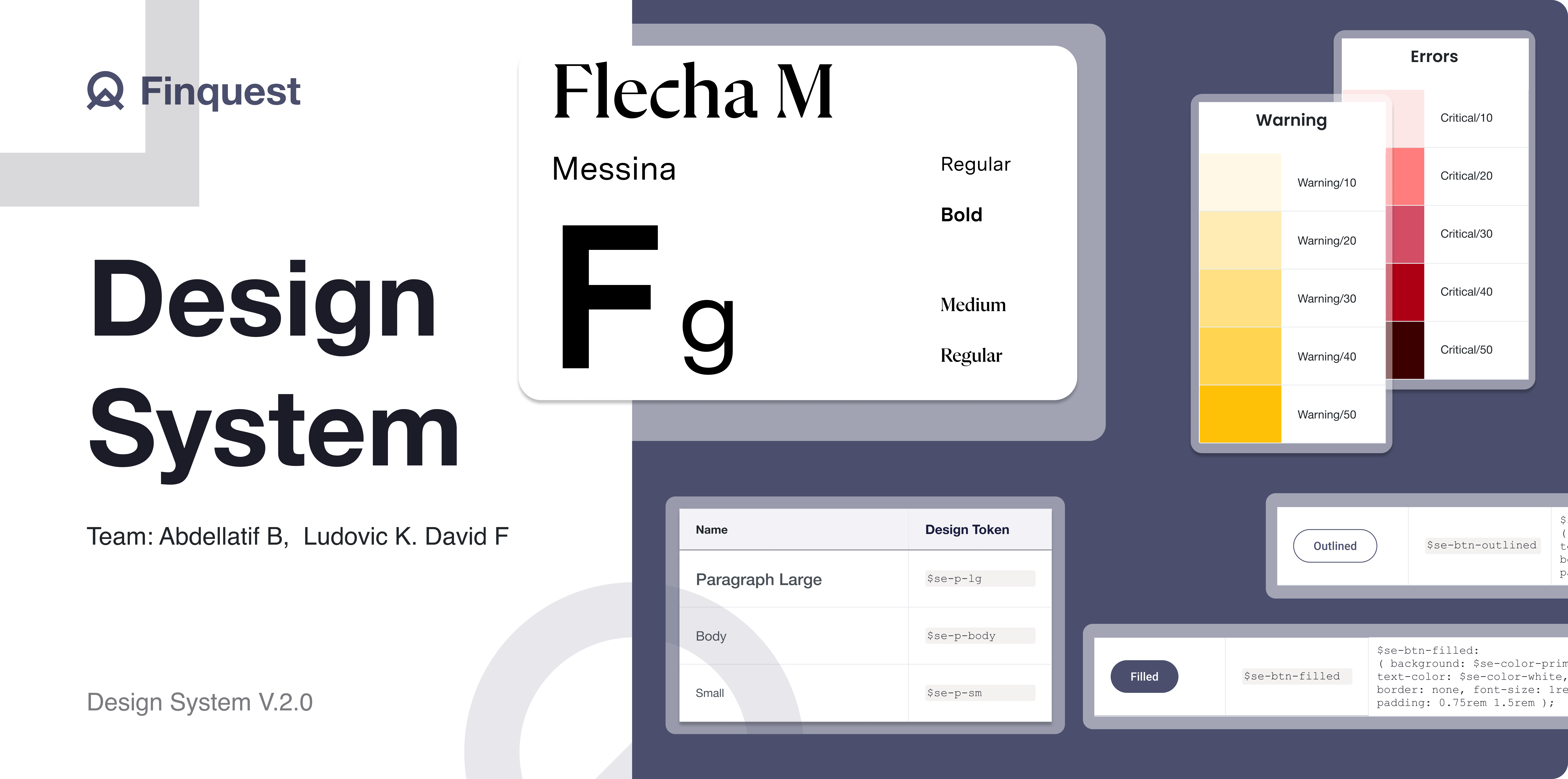





finquest Design System

Expertise

Product Designer


Platforms

figma

confluence

Deliverables

Component library

documentation

Website

Project Overview

When I joined Finquest few years ago, I was the first and only designer on the team. It was both an exciting challenge and a significant responsibility. At the time, there was no established design system—designs were handled arbitrarily by developers and product owners, relying on personal preferences or third-party libraries. This lack of consistency and alignment highlighted an urgent need for a robust and scalable design system.

Discovery

The problem? no standards, either many variants

When I joined Finquest, one of the first challenges I noticed was the lack of consistency across the platform’s user interfaces. Developers and product owners had been designing and implementing components without a centralized reference, resulting in a fragmented experience.

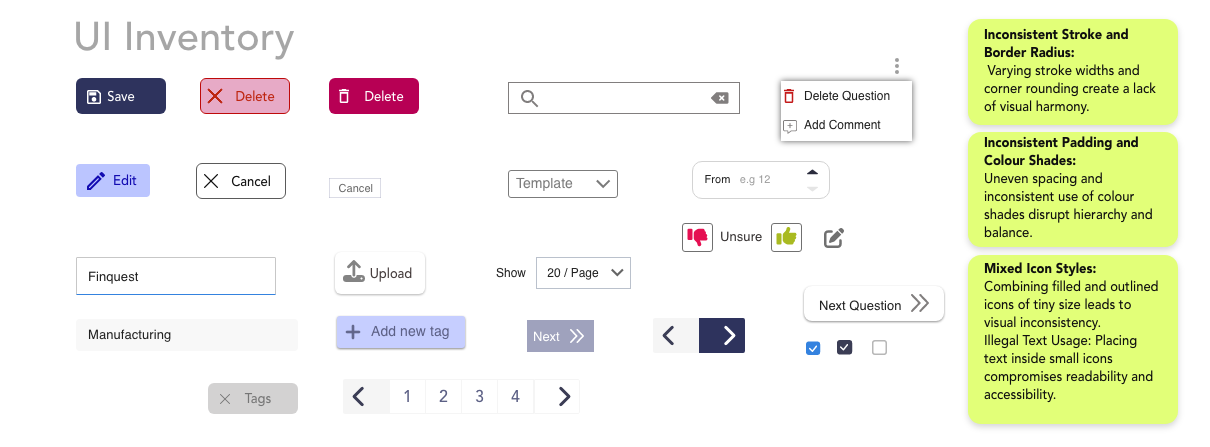
To understand the extent of the issue, I conducted a thorough UI inventory across the company’s portal and apps. The findings were revealing:

  • Multiple variations of buttons, toggles, and badges—each with slight differences in color, size, and interaction states.
  • Typography styles that varied widely, with no clear hierarchy or purpose.
  • Inconsistent application of colors, making the platform feel disjointed.

This inconsistency wasn’t just an aesthetic issue—it was impacting development speed, creating confusion, and weakening the overall user experience.

Research

Learning the basics of a design system

When I started building the design system for Finquest, I faced an overwhelming challenge: how do I organize all the components into something cohesive and scalable? I wasn’t born with the ability to create design systems, but I was determined to learn.

Thankfully, some of the most successful companies—like Shopify, Apple, and Google—had published their design systems, which provided a wealth of inspiration. However, these systems were massive and tailored to their unique needs. They were aspirational but not directly applicable to the challenges at Finquest.

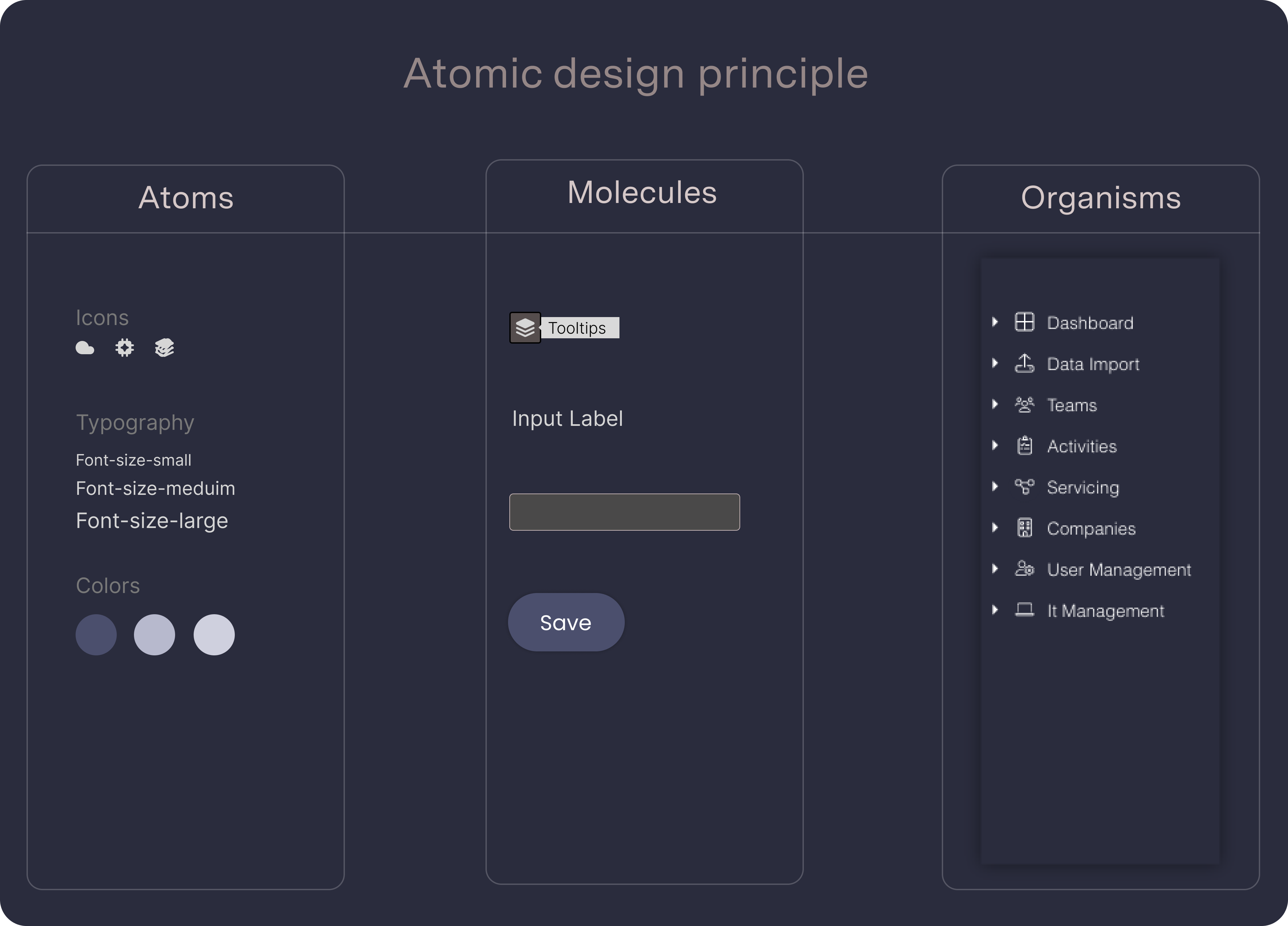
What truly transformed my approach was discovering Atomic Design, a methodology introduced by Brad Frost. Atomic Design provides a clear framework for structuring a design system by breaking down user interfaces into five interconnected layers:

Define & Ideation

How can I make this valuable for both designers and developers?

Reflecting on the initial problem—how to create a design system that is simple, scalable, and understandable for both designers and developers—I realized the importance of collaboration. For the system to succeed, it needed to bridge the gap between visual design and development seamlessly.

To address this, I partnered closely with a front-end developer to ensure the design system met the needs of both disciplines. This collaboration allowed us to:

Introduce Design Tokens: Semantic variables for colors, typography, and spacing were defined to maintain consistency and adaptability across products.
Embed Code Snippets: Each component in the design system included its corresponding Sass variables, CSS classes, and reusable code snippets, integrated directly into the documentation and Figma files.
Align on Communication: Through regular feedback loops, we developed a shared language to describe components, behaviors, and patterns, ensuring everyone understood how to use the system effectively.

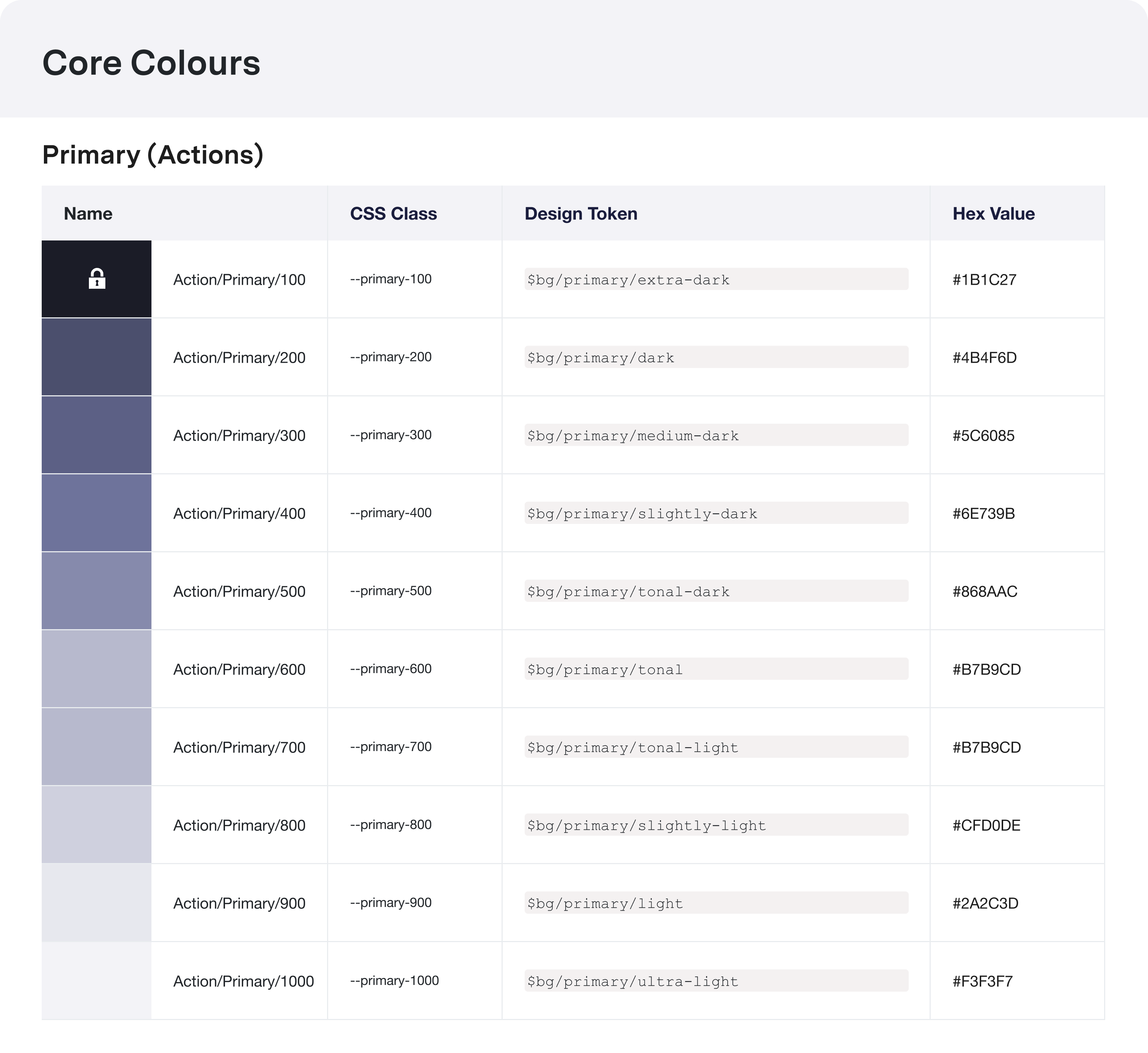
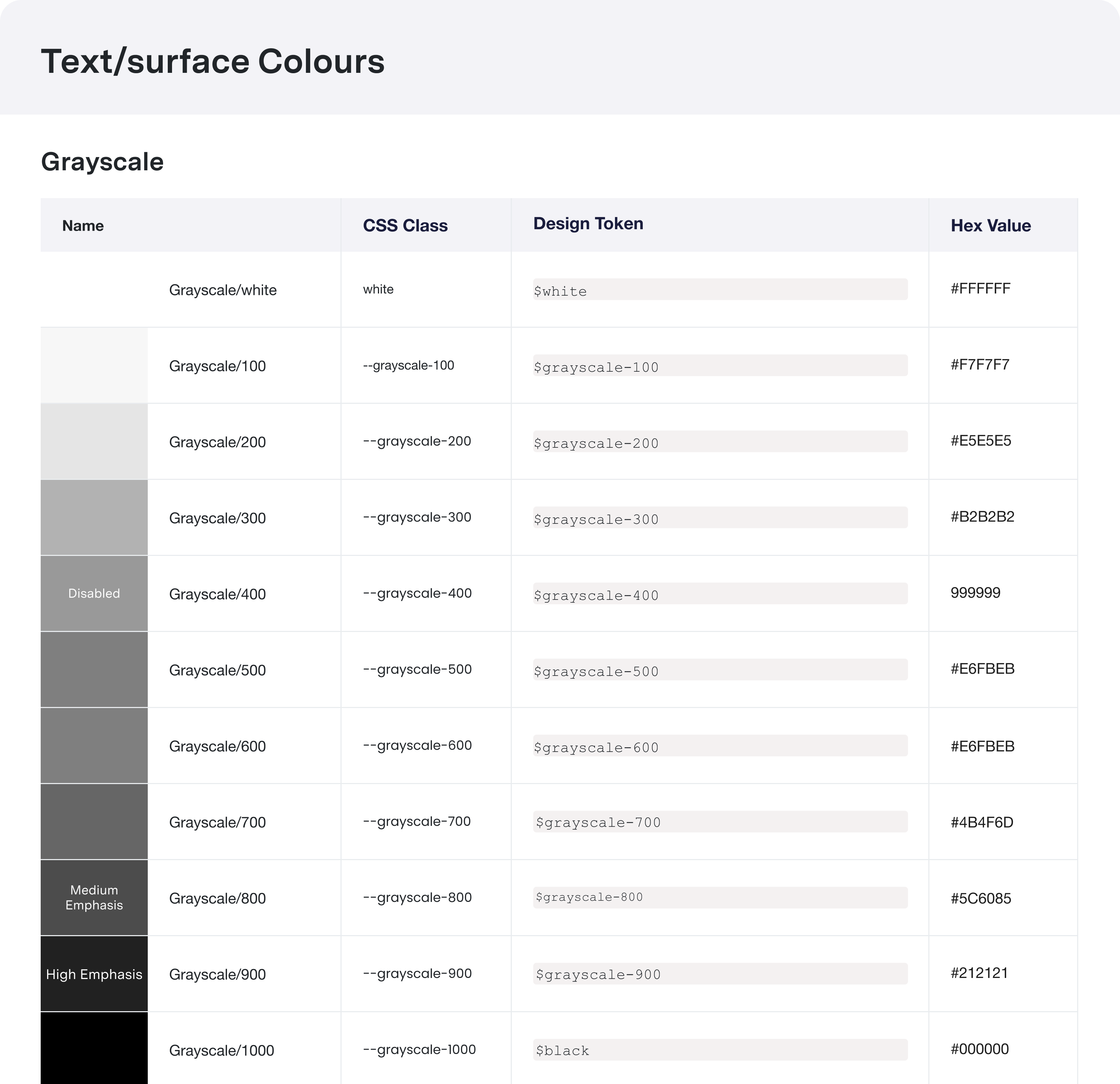
Color is used to express style and communicate meaning. Our design system ensures consistent and dynamic color application, prioritizing personal preferences and accessibility. The table below defines our color palette with design tokens, CSS classes, and HEX values for seamless integration.

Integrating design tokens, CSS classes, and code snippets, our design system bridges design and development with clear visuals and practical examples

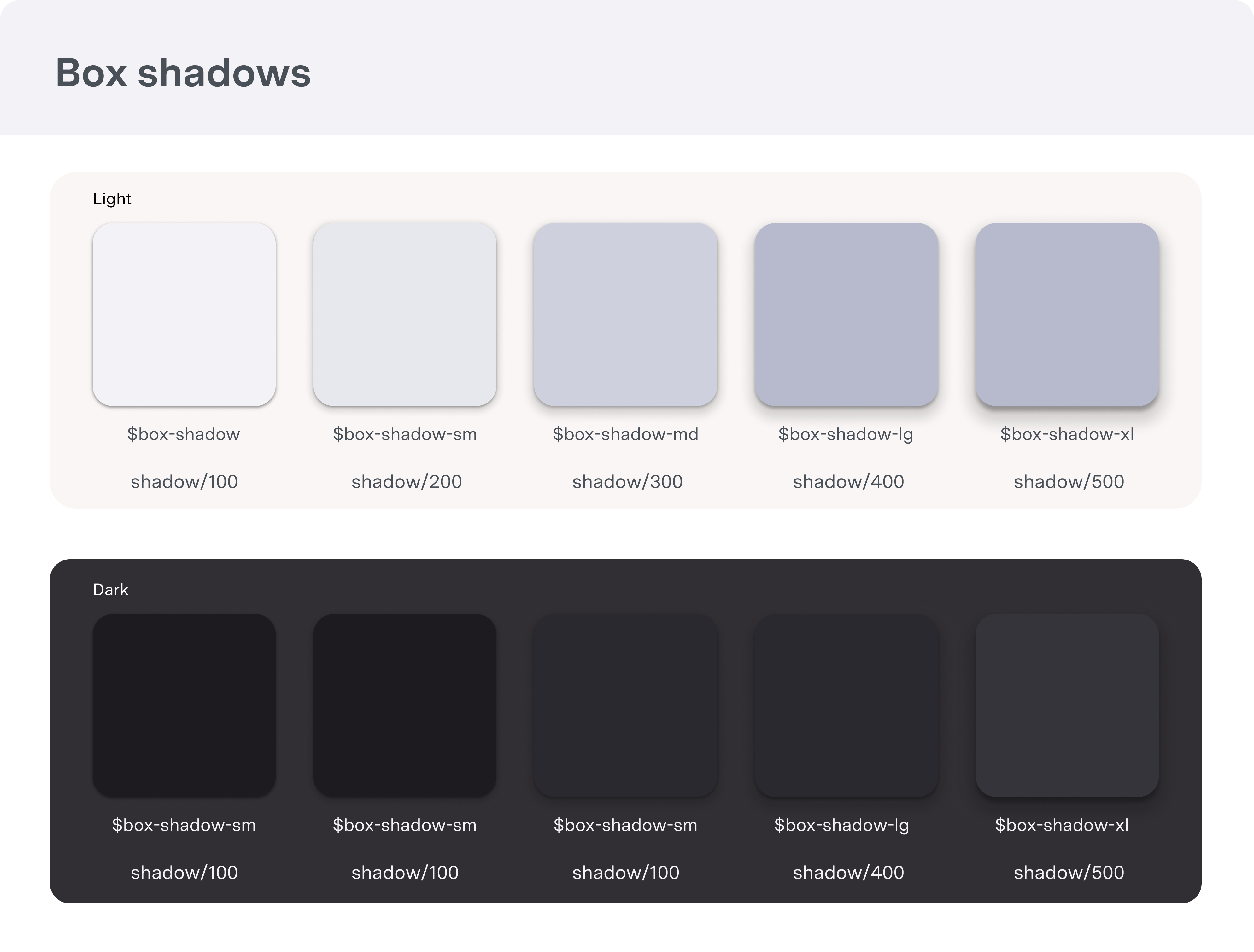
The use of elevation starts with its purpose and context, creating depth and hierarchy to guide focus and interaction. Designed to mimic natural shadows, elevation adds subtle visual cues to differentiate layers and enhance usability

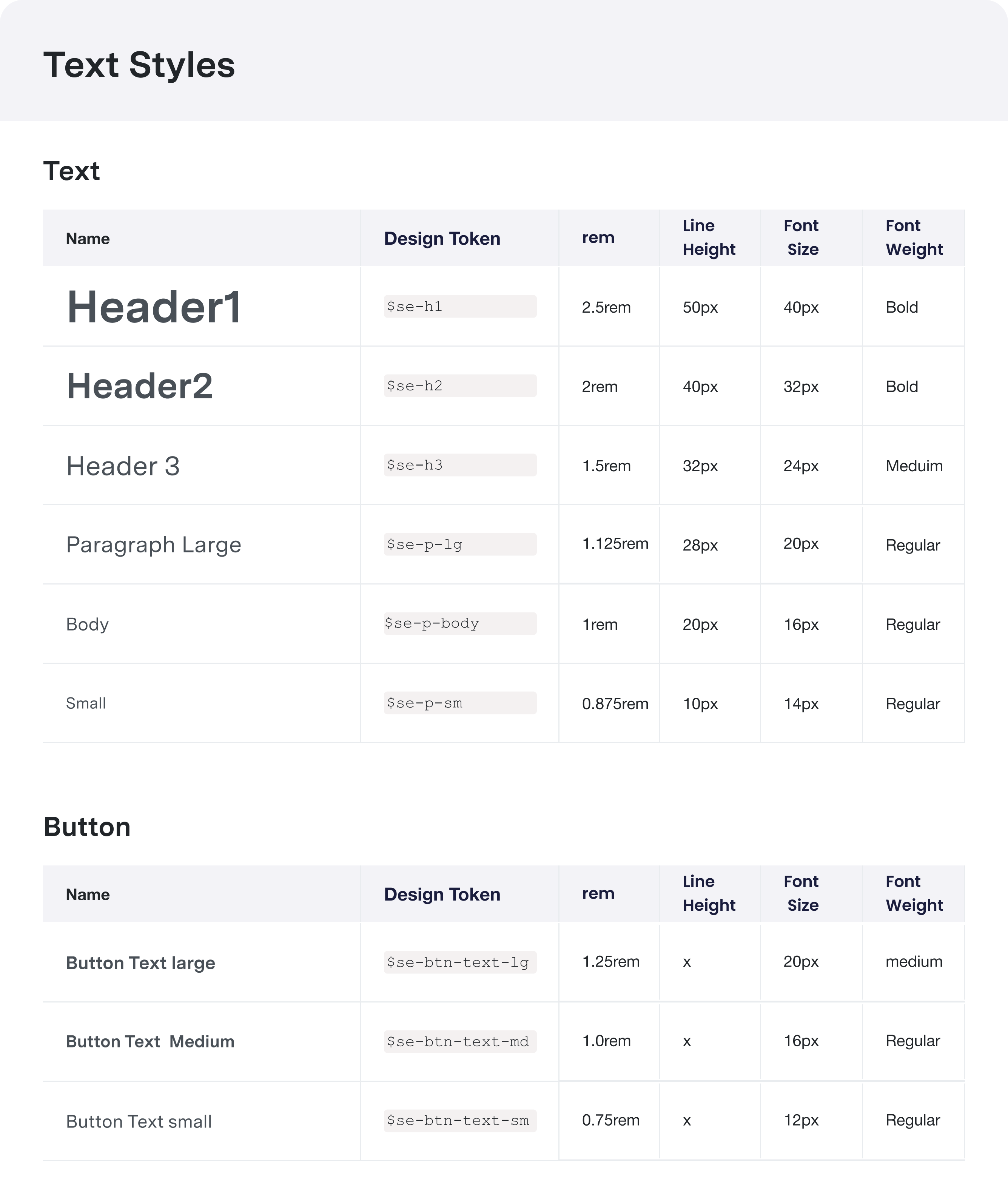
Typography is a cornerstone of our design system, shaping how information is communicated and ensuring a consistent visual hierarchy. This table defines our typography tokens, including font sizes, weights, and styles, providing a clear reference for readability and effective communication.

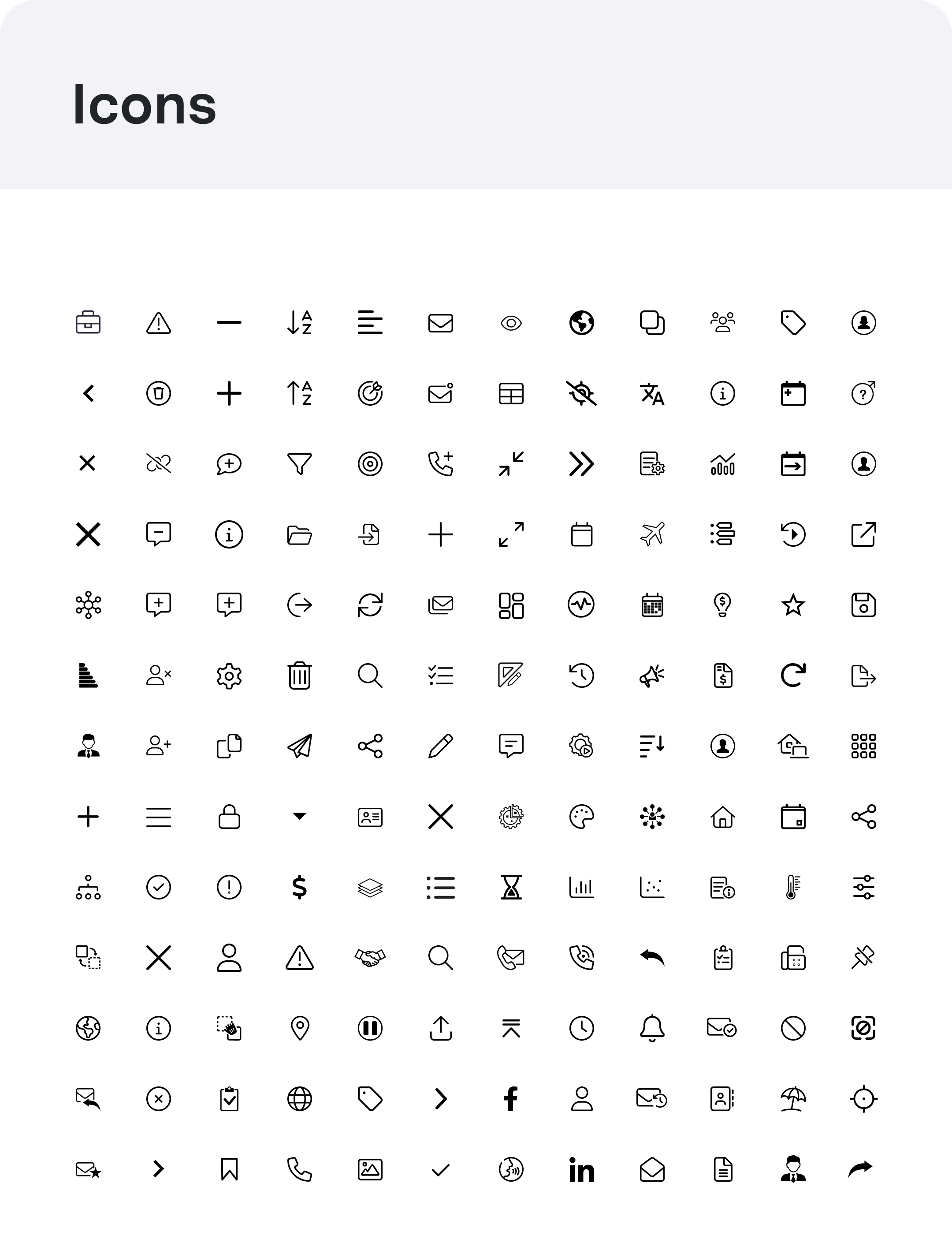
Five rules for effective icon design:
    1. Keep visual/perceived size consistent
    2. Keep the level of detail consistent (less is more)
    3. Eliminate unnecessary detail
    4. Don’t mix and match styles (e.g, don’t use an outline and fill styles in the same app or site)

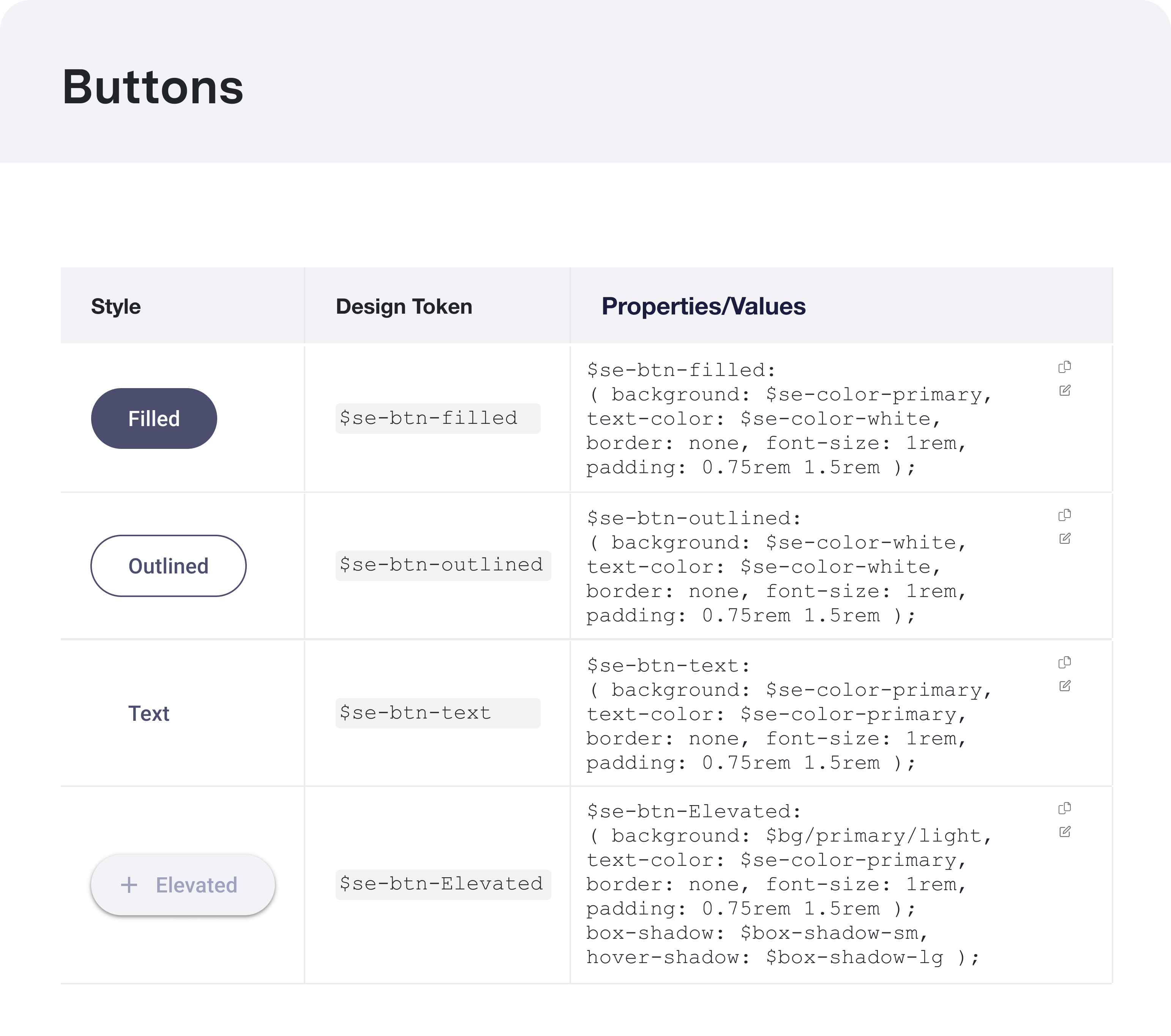
When choosing the right button for an action, consider the level of emphasis each button type provides. Buttons play a critical role in guiding user interactions, and their styles—such as primary, secondary, or tertiary—help establish hierarchy and clarity. Ensure each button’s purpose aligns with its visual prominence to create a seamless and intuitive user experience.

Grid Systems

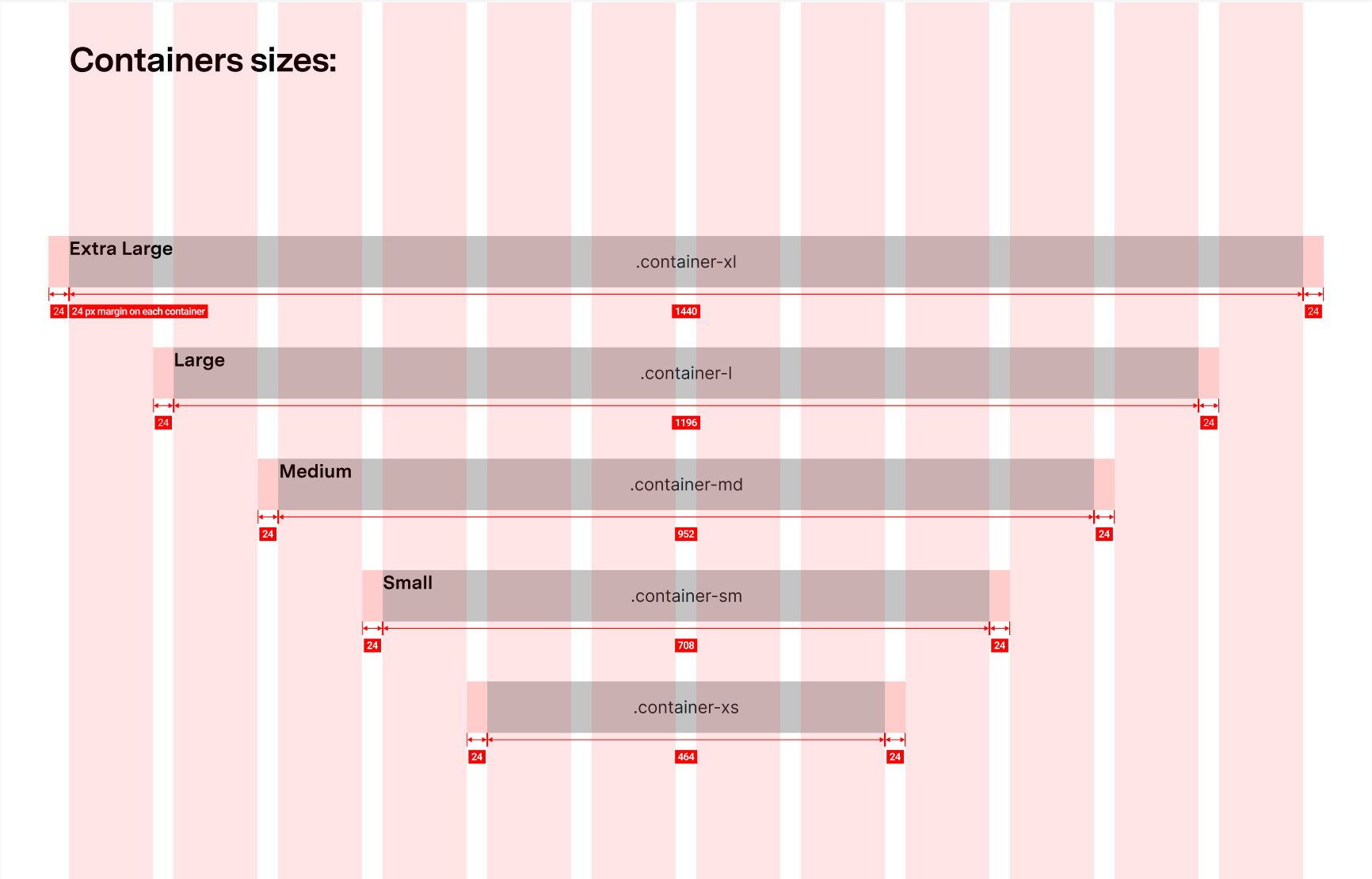
A grid system provides the foundation for creating consistent, organized layouts in a design system. It establishes a structure that ensures alignment, balance, and scalability across different screen sizes and devices. By defining columns, gutters, and spacing, the grid system helps maintain visual harmony and guides both designers and developers in crafting cohesive interfaces. expectations

Responsibilities

I worked on this project as a Product Designer. Main areas of responsibility: 

  • UI Inventory
  • UX Audit
  • Component Library
  • Documentation
  • Design Principles
  • Governance

 “Design is not just what it looks like and feels like. design is how it works”  – Steve Jobs

 “Simplicity is the ultimate sophistication” – Leonardo da Vinci

 “Out of clutter, find simplicity. From discord, find harmony. In the middle of difficulty, lies opportunity.” Albert Einstein

@ 2025 AbdelDesign